Mental Model การออกแบบ Folder ใน Claude Cowork…

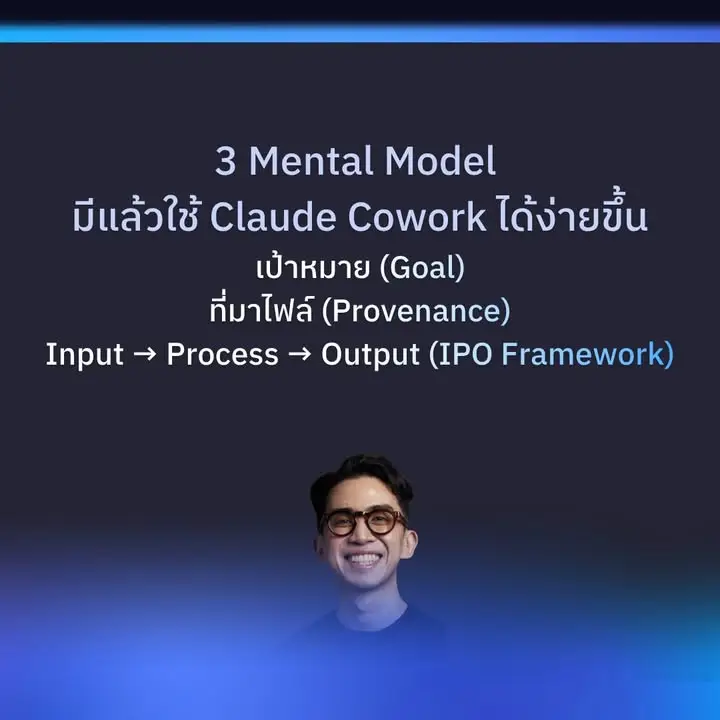
Claude ต้องรู้ทันทีว่า: อะไรคือวัตถุดิบ กำลังทำอะไรอยู่ ผลลัพธ์สุดท้ายต้องเป็นยังไง
Core Mental Model (3 ชั้นคิด)
1.เป้าหมาย (Goal)
→ “เรากำลังสร้างอะไร?”
(ต้องชัดตั้งแต่ต้น เพื่อให้ทุกโฟลเดอร์ align กับผลลัพธ์สุดท้าย)
2.ที่มาไฟล์ (Provenance)
→ “ไฟล์แต่ละตัวเกิดจากไหน ใครสร้าง ต้องอัปเดตไหม?”
(ป้องกัน Claude สับสนว่าอันไหนดิบ อันไหนสำเร็จ)
3.Input → Process → Output (IPO Framework) ← หัวใจหลัก
- Input = วัตถุดิบดิบ (ไม่แตะ)
- Process = โรงงานผลิต (Claude ทำงานตรงนี้)
- Output = ผลลัพธ์สำเร็จ
Mental Picture ภาพในหัวของ Claude ผู้คุมโรงงานต้องให้นางเกทแบบนี้
[INPUT] ← วัตถุดิบดิบทั้งหมด
↓
[PROCESS] ← โรงงาน (หลายขั้นตอน)
↓
[OUTPUT] ← ของสำเร็จ + Archive
ทุกโฟลเดอร์ต้องมี ชื่อชัด + ลำดับตัวเลข เพื่อให้ Claude อ่านและเดินทางได้เองอัตโนมัติสรุปแบบสั้นสุด
ยกตัวอย่างเคส เขียนบทความชุด 5 บท (Content Creation Series)
Goal: ผลิตบทความพร้อม SEO 5 บท ส่งให้ลูกค้าใน 1 สัปดาห์
Provenance: ข้อมูลมาจาก Google Doc ของลูกค้า + วิจัยเว็บ + ภาพจาก Unsplash
IPO:
- Input = เนื้อหาดิบ + keyword
- Process = วิจัย → เขียน draft → แก้ SEO → ตรวจ
- Output = ไฟล์ .docx + PDF สำเร็จ
โครงสร้าง Folder ที่ Claude Cowork เข้าใจทันที:
Blog_Series_2026/
├── 00_INPUT/
│ ├── client_brief.docx
│ ├── keywords.csv
│ └── research_raw/
├── 01_PROCESS/
│ ├── 01_research/ ← Claude วิจัยที่นี่
│ ├── 02_draft/ ← เขียนฉบับร่าง
│ ├── 03_seo_review/
│ └── 04_final_check/
├── 02_OUTPUT/
│ ├── final_articles/ ← 5 บทสำเร็จ
│ ├── pdf_ready/
│ └── archive/
├── .claude/
│ └── CLAUDE.md ← กฎ: ทุกบทต้องมี meta description + wordcount
├── PROJECT_BRIEF.md
└── README.md
Claude จะรู้ทันทีว่า “เอา input จาก 00_INPUT → ไป Process ทีละขั้น → วางผลใน 02_OUTPUT”
ด้วย Prompt ที่ให้ Claude (paste ครั้งแรกหลังสร้าง folder):
You are now working inside this project folder: Blog_Series_2026/
Follow the IPO system strictly:
1. Read all files in 00_INPUT/ first (client_brief.docx, keywords.csv, and research_raw/)
2. Create sub-folders inside 01_PROCESS/ if they don't exist yet.
3. Work step by step:
- Step 1: Research in 01_PROCESS/01_research/
- Step 2: Write 5 draft articles in 01_PROCESS/02_draft/
- Step 3: Do SEO review in 01_PROCESS/03_seo_review/
- Step 4: Final check in 01_PROCESS/04_final_check/
4. Put all finished articles in 02_OUTPUT/final_articles/ as .docx and PDF
5. Every article must follow the rules in .claude/CLAUDE.md
Start now. First, confirm you have read the input folder and tell me the plan before you begin creating any files.
อยากใช้ AI กับงานจริงเป็นระบบ?
เรียน Claude Method — วิธีคิดและลงมือใช้ Claude/AI กับงานจริง ตั้งแต่วันแรก
📍 โพสต้นฉบับบน Facebook: AI กับ Peesamac